Lorewise
A downloadable tool for Windows and macOS
Lorewise is a free desktop companion for D&D, covering both 5e (2014) and 5.5e (2024). I run games every week and I built it over six months to be the only tool I need at the table, as a DM and as a player. It is completely offline: one local database file, no account, no cloud, nothing to connect. Turn the wifi off and nothing changes.
The DM screen
This is the part I use when running my sessions:
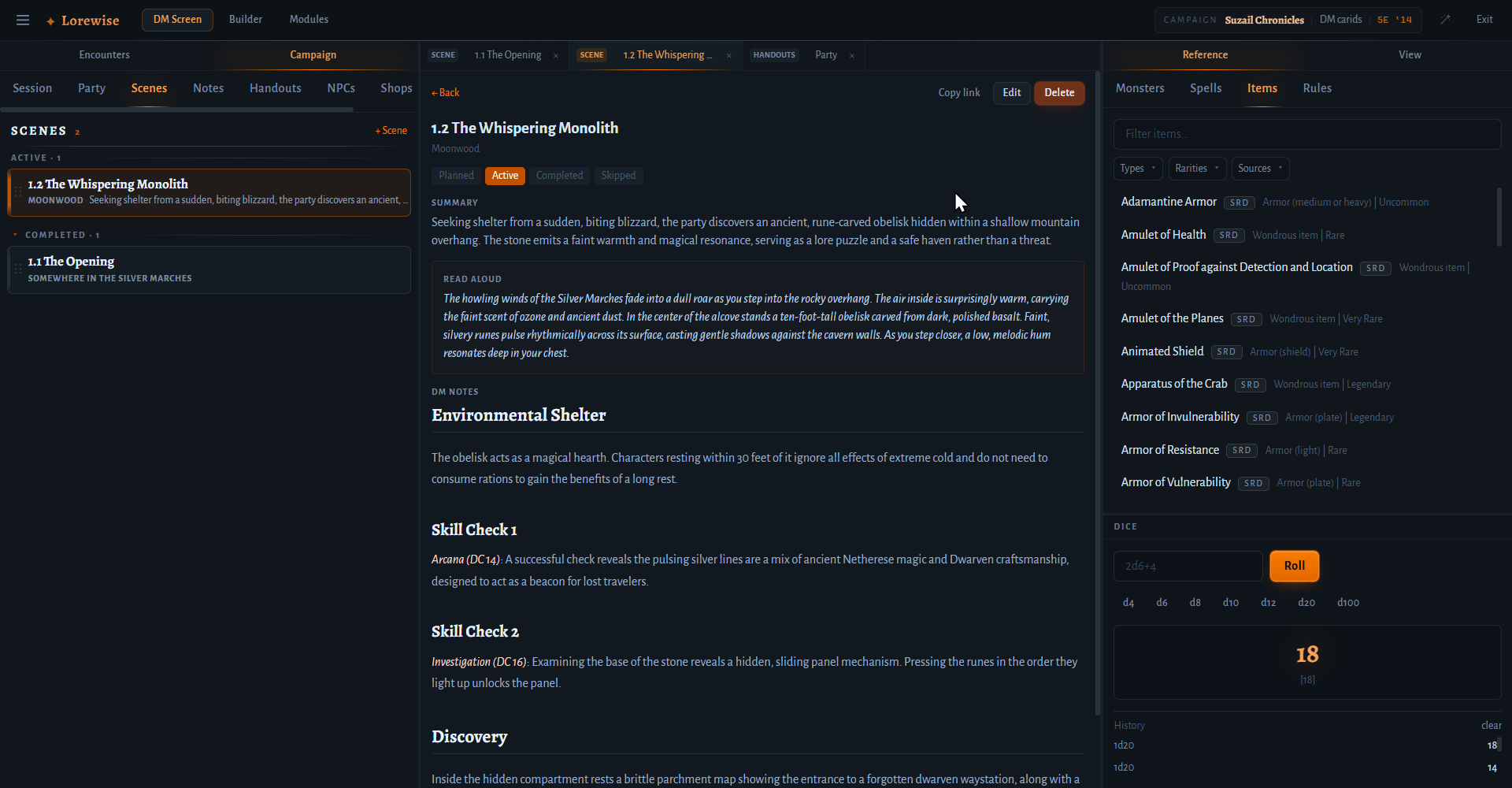
- Scene workspace. Prep scenes as documents with typed links: mention anything you previously created, an NPC, a monster, a shop, a handout or an encounter and it becomes a clickable link that opens the real thing. Your prep and your tools stop being separate windows.
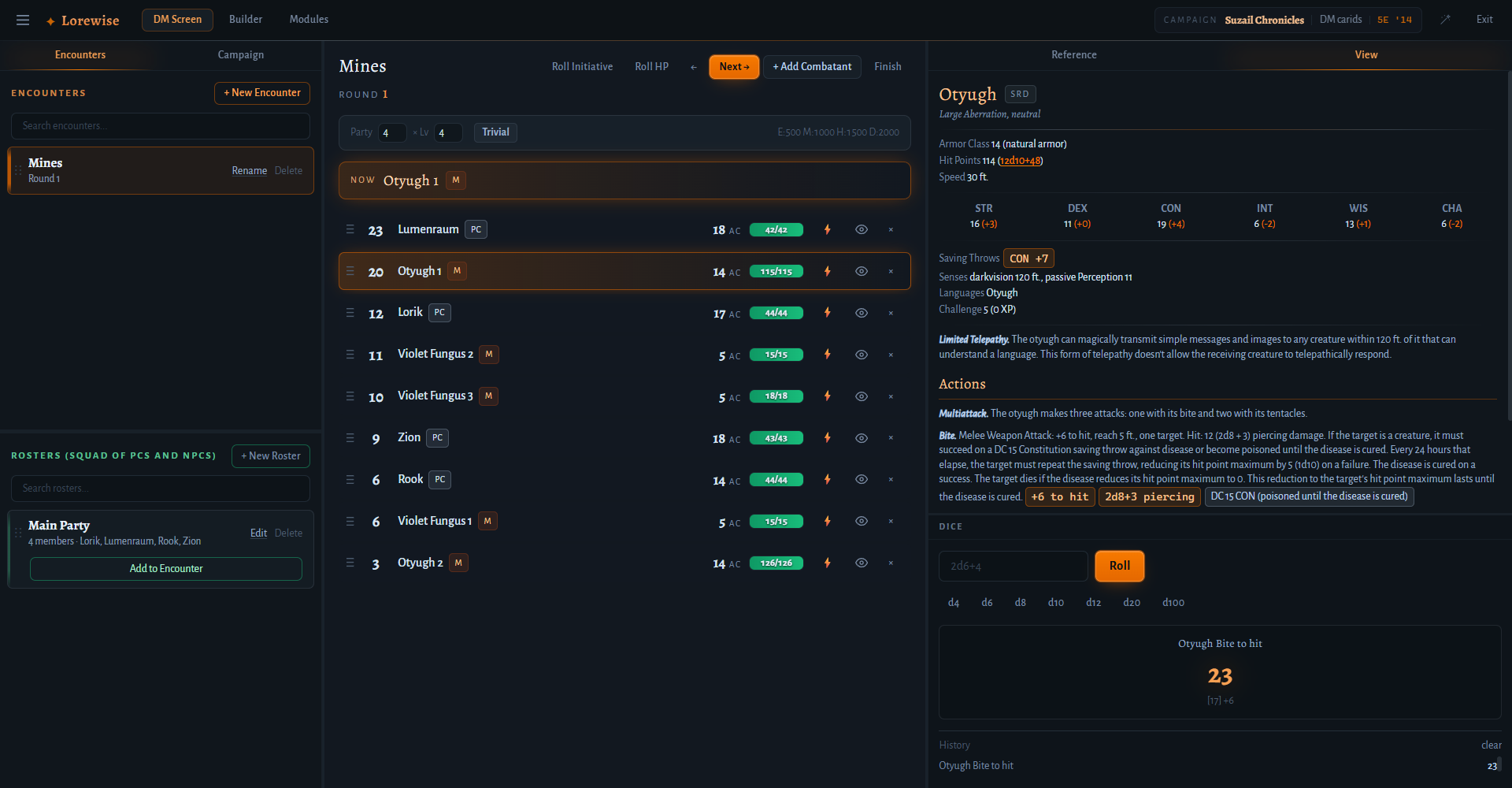
- Encounter monitor. Initiative tracker with the party's live HP, conditions, and concentration prompts. Monster stat blocks are rollable: click an attack and the dice roll for you, advantage and crits included, and you can drag and drop dice too.
- Handouts and maps. Organize images in folders and project any of them to a second window. Drag it to a player-facing screen or TV, zoom and pan, done. To be clear: this is not a map creator or a token battle map tool, and it never will be. There are plenty of great tools for that already. It is a fast way to show your players the right image at the right moment.
- Builder. Easily create the NPCs, items and monsters for your campaign through a simple form-based UI, then import and export them.
The Player Screen
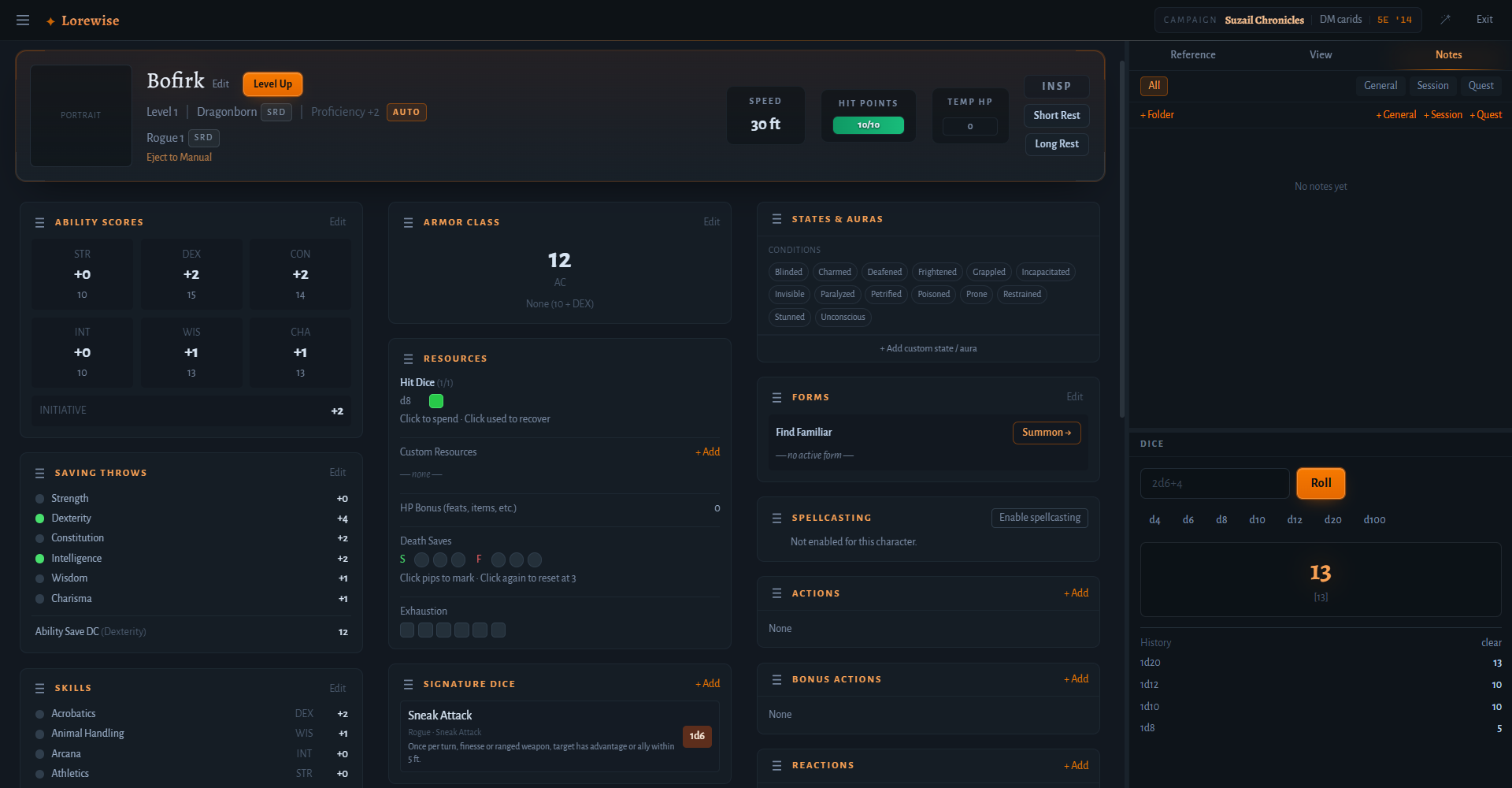
Under the character sheets sits a full rules engine. It is built to be expressive enough to model every mechanic the game has published so far, in both 5e (2014) and 5.5e (2024): spell slots, multiclass rules, summons, wild shapes, active states like Rage and Bladesong, feats, weapon mastery, resource pools, and all the rest. Everything is automatically computed for you. Level up and the sheet just updates and prompts you for the choices needed.
The Homebrew Builder
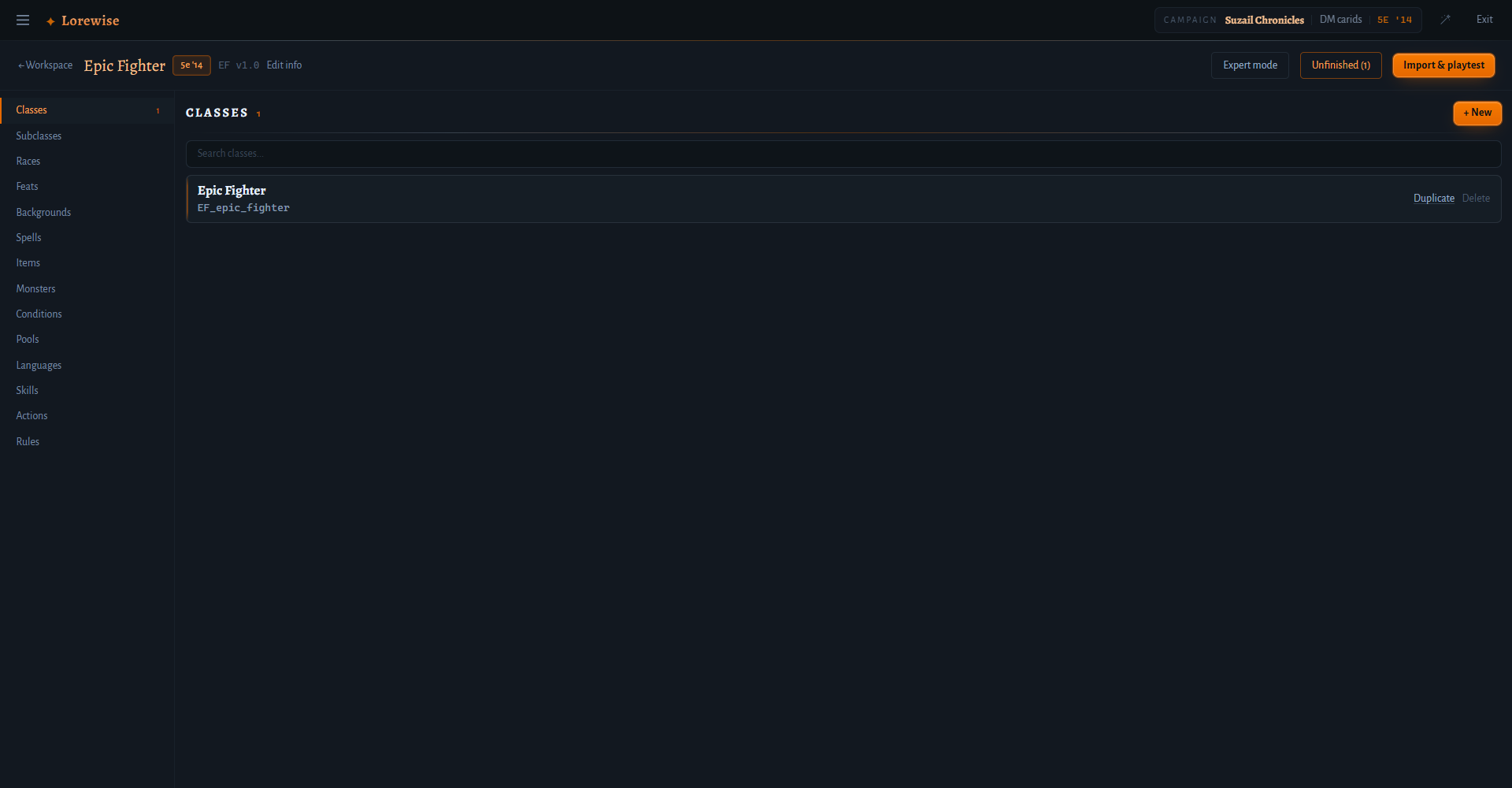
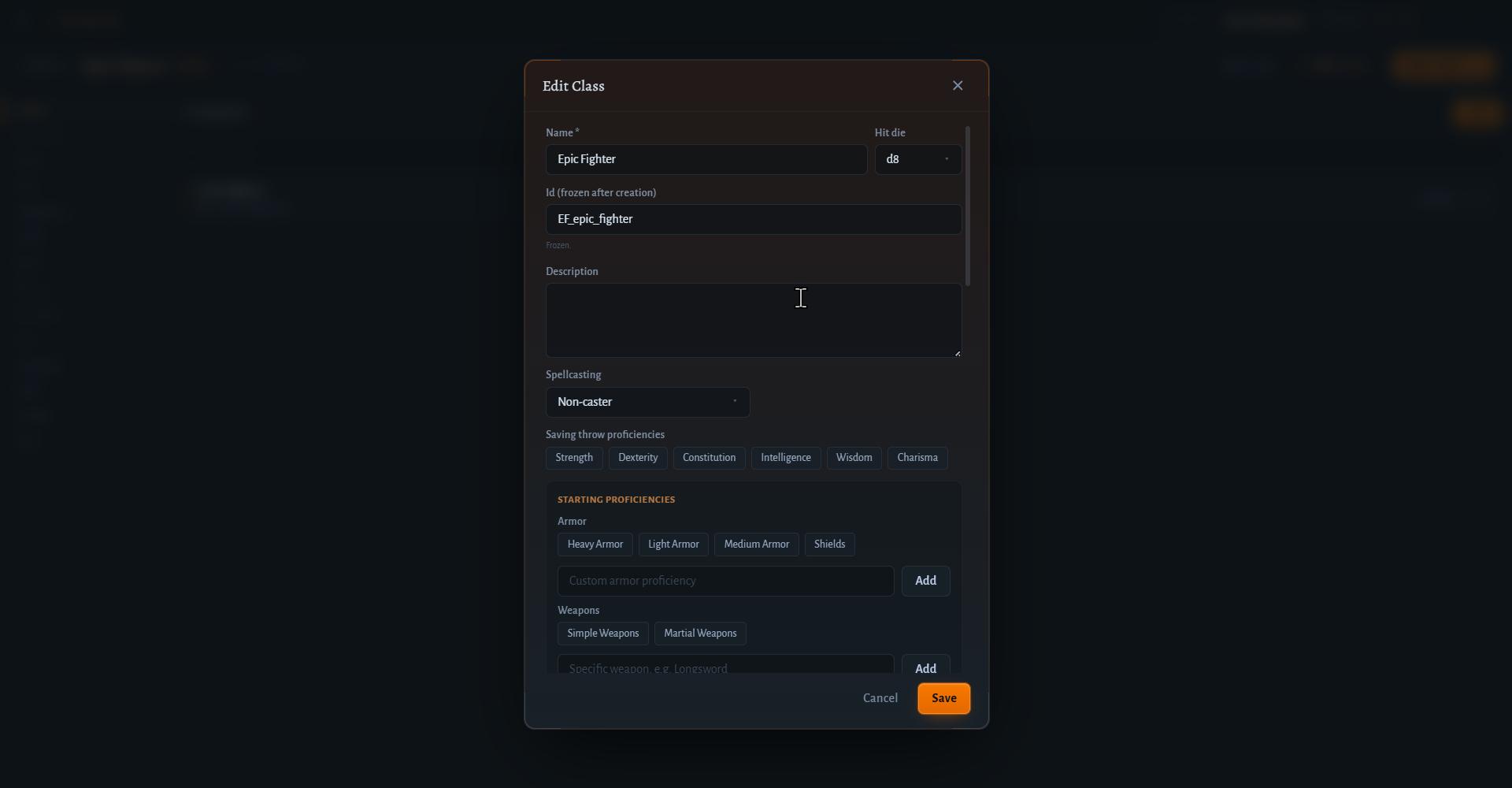
The point of the expressiveness of the rule engine is homebrew. The Homebrew Builder lets you author your own classes, subclasses, races, feats, monsters and items, and the engine treats them exactly like official-rules content: your homebrew class gets correct spell slots, its resources tick down, its choices show up at the right levels. The Builder walks you through all of it in the app UI, with a guide built in.
Also in the box
- Full character sheets for both editions, with a guided creation wizard
- The complete SRD catalogs (5.1 and 5.2.1): classes, spells, monsters, items, rules
- Campaign notes, NPCs, shops, factions, all cross-linkable
- Character and campaign export/import as plain JSON files
Alpha honesty
This is an alpha. You will find bugs and rough edges. Your data lives in one local file and characters and campaigns export to JSON, so nothing you build is locked in. If something breaks, I genuinely want to know: report it in this google form and attach the export if you can. It is the fastest way to get it fixed.
If Lorewise earns a spot at your table and you want to support it: ko-fi. Every tip goes to hiring artists or improving the app: the first goal is commissioning real artists for the in-app companion sprites, then an Apple developer certificate so the macOS install stops needing the Terminal step, then the same treatment for the Windows warning.
Licensing
Lorewise© 2026. All rights reserved. Free to download and use; redistribution of modified builds is not permitted.
No copyrighted book content is included or distributed. Module import is for homebrew and custom content packs only.
This work includes material taken from the System Reference Document 5.1 ("SRD 5.1") by Wizards of the Coast LLC and available at https://www.dndbeyond.com/srd#SystemReferenceDocumentv51. The SRD 5.1 is licensed under the Creative Commons Attribution 4.0 International License available at https://creativecommons.org/licenses/by/4.0/legalcode.
This work includes material from the System Reference Document 5.2.1 ("SRD 5.2.1") by Wizards of the Coast LLC, available at https://www.dndbeyond.com/srd. The SRD 5.2.1 is licensed under the Creative Commons Attribution 4.0 International License, available at https://creativecommons.org/licenses/by/4.0/legalcode.
Lorewise is an independent product and is not affiliated with, endorsed, sponsored, or approved by Wizards of the Coast LLC.
App icon: Medieval icons created by photo3idea_studio - Flaticon
Download
Install instructions
The app is unsigned on both platforms, because code-signing certificates cost hundreds of dollars a year and this is a free alpha. Unsigned means your OS shows a scary warning for any app it does not recognize. It does not mean unsafe. Here is exactly what to do on each system.
Windows
1. Download and run the .msi installer.
2. A blue dialog appears: "Windows protected your PC".
3. Click More info.
4. Click Run anyway*.
5. The installer proceeds normally.
macOS
macOS quarantines unsigned apps, and on recent versions the usual workarounds do not work. The fix is one Terminal command. If you have never opened Terminal, that is fine, just follow these steps exactly:
1. Download the .dmg (Apple Silicon for M1/M2/M3/M4 Macs, Intel for older ones).
2. Open the .dmg and drag Lorewise into the Applications folder.
3. Open Terminal (press Cmd+Space, type "Terminal", press Enter).
4. Copy and paste this command, then press Enter:
xattr -cr /Applications/Lorewise.app
5. Launch Lorewise from Applications like any other app. You only need to do this once.
Note: "right-click and Open" and the "Open Anyway" button in System Settings do NOT work for this build. The Terminal command is the way.